
In the rapidly evolving world of 3D printing, speed is a crucial factor that can make or break a project. As technology advances, manufacturers and hobbyists alike are constantly seeking ways to enhance their printing efficiency without sacrificing quality. Understanding the nuances of 3D print speed is essential for anyone looking to maximize their productivity and achieve outstanding results.
From the intricacies of layer height to the choice of materials, several elements influence how quickly a 3D printer can produce a model. As the demand for faster prototyping and production grows, exploring the factors that affect print speed becomes increasingly important. This article delves into the key components that impact 3D print speed and offers insights on optimizing performance for various applications.
Understanding 3D Print Speed
3D print speed plays a crucial role in determining the efficiency of printing processes. Fast print speeds can enhance productivity, but they may compromise quality if not managed properly.
Importance of Print Speed
Print speed affects production timelines, material costs, and overall project success. Faster printing allows for quicker iterations and rapid prototyping, which benefits businesses focused on innovation. In competitive markets, improved speed can lead to faster market entry, allowing manufacturers to adapt to changing demands more effectively. Maintaining a balance between speed and print quality ensures optimal results without sacrificing precision.
Factors Influencing Print Speed
Numerous factors influence print speed, including:
- Layer Height: Thicker layers lead to faster print times. Reducing layer height increases detail but slows printing.
- Print Settings: Adjusting print speed settings in slicing software can optimize manufacturing speed. Higher speeds may require fine-tuning other settings to maintain quality.
- Material Choice: Different materials have distinct flow rates and solidification times, affecting printing speed. For example, flexible filaments may require slower speeds compared to rigid ones.
- Printer Type: FDM, SLA, and SLS 3D printers have varying capabilities. FDM printers typically print faster than SLA due to the layer curing process in resin printing.
- Nozzle Size: Larger nozzles permit higher flow rates, increasing speed. However, this may reduce detail in print quality.
- Model Complexity: Intricate designs with many features take longer to print. Simplifying models can enhance speed without a loss in function.
By understanding these factors, users can optimize printing processes, achieving faster turnaround times while maintaining print quality.
Types of 3D Printing Technologies
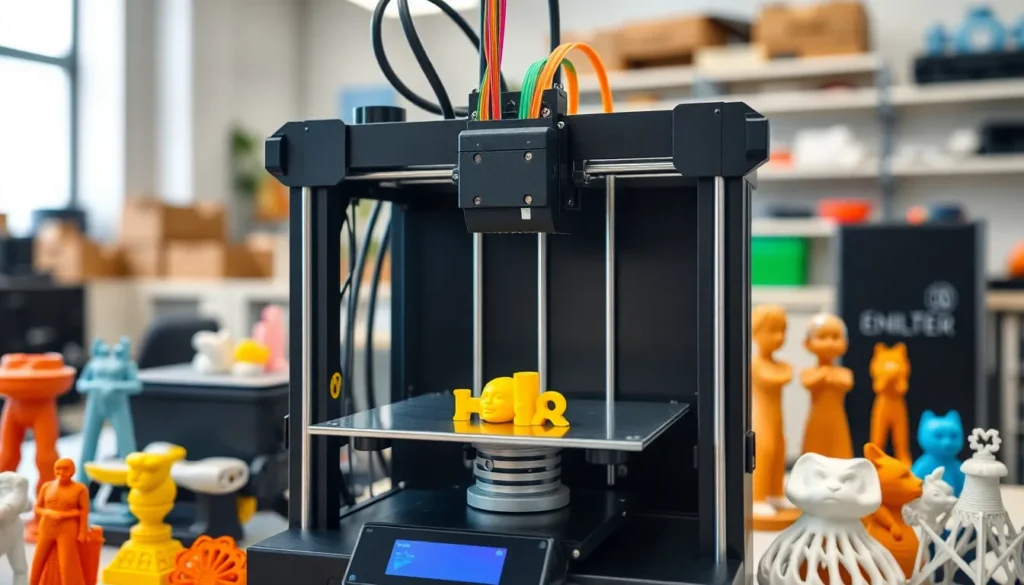
Various 3D printing technologies influence print speed and efficiency. Understanding these technologies helps manufacturers and hobbyists choose the best method for their projects.
Fused Deposition Modeling (FDM)
Fused Deposition Modeling (FDM) utilizes thermoplastic filaments. Heated nozzles extrude melted material layer by layer to create objects. FDM printers achieve speeds ranging from 30 to 300 mm/s, which can vary based on factors like print quality settings and filament type. Commonly used materials include PLA and ABS. Users appreciate FDM for its cost-effectiveness and ease of use, making it ideal for rapid prototyping.
Stereolithography (SLA)
Stereolithography (SLA) employs a liquid resin cured by ultraviolet light. This method produces highly detailed objects at layer heights of 25 to 100 microns. SLA printers operate at speeds between 10 to 30 mm/s, contingent on the model’s complexity and the curing time of the resin. Typical resins used in SLA include standard, tough, and flexible varieties. Users favor SLA for fine detail and smooth finishes, beneficial in industries like jewelry and dental applications.
Selective Laser Sintering (SLS)
Selective Laser Sintering (SLS) uses a laser to fuse powdered materials into solid structures. This technology achieves faster speeds than FDM and SLA, often around 30 to 100 mm/s, depending on part geometry and laser settings. SLS predominantly works with nylon and metal powders, allowing complex geometries and functional parts. Users value SLS for producing robust prototypes and end-use parts, particularly in aerospace and automotive industries.
Measuring 3D Print Speed
Measuring 3D print speed involves understanding various units and testing methods that impact printing efficiency. Accurate measurement ensures users achieve their desired balance between speed and quality.
Units of Measurement
3D print speed typically uses millimeters per second (mm/s) as the standard unit. This measurement indicates how fast the printer nozzle moves during the printing process. For example:
- Layer Speed: The speed at which the printer completes each layer. This speed is crucial for determining the overall project completion time.
- Travel Speed: The speed at which the print head moves between different segments without extruding material. Higher travel speeds can reduce idle time.
- Print Speed: The combined rate of layer and travel speed during printing. Optimizing this speed requires understanding the whole printing process.
Testing Methods
Testing methods for measuring 3D print speed involve practical assessments and empirical data analysis. Key methodologies include:
- Calibration Prints: Running standardized test prints allows users to evaluate speed and quality simultaneously. Notable examples include 3D Benchy, a popular calibration object.
- Time Trials: Tracking the time taken for a specific print with known dimensions helps create benchmarks for future projects. This method provides direct insight into print efficiency.
- Speed Adjustments: Systematically altering print speed settings during test prints helps identify the optimal speed without sacrificing quality. Consideration of factors like filament type and print complexity is essential during this process.
By utilizing standard units and effective testing methods, users can accurately measure and enhance their 3D print speeds, tailoring settings for improved results.
Optimizing 3D Print Speed
Optimizing 3D print speed involves strategic adjustments in both software and hardware. Implementing changes in these areas can significantly enhance print efficiency while maintaining quality standards.
Software Adjustments
Software preferences play a crucial role in optimizing print speed. Users can adjust several settings to achieve faster results:
- Layer Height: Increasing the layer height can reduce print time, as fewer layers require less printer movement. Users may test various heights for the best balance between speed and detail.
- Print Speed Settings: Users can modify the print speed setting in their slicing software. Increasing speeds may shortcut some details, so it’s vital to find the right balance for the project’s needs.
- Infill Density: Lowering infill density decreases material usage and print time. Users should determine the minimum density required for structural integrity.
- Support Structures: Minimizing or optimizing support structures can lead to faster printing. Users can explore generated support patterns that use less material and require less time to print.
- Travel Speed: Configuring travel speed settings can improve overall speed. Increasing this rate allows the printer to navigate between segments more efficiently.
- Simplifying Models: Reducing model complexity by removing unnecessary details or using design aids can help speed up the printing process. Users should analyze models for redundant features that don’t impact functionality.
Hardware Upgrades
Investing in hardware can also contribute to increasing 3D print speed effectively. Consider the following upgrades:
- Nozzle Size: Switching to a larger nozzle size allows for thicker filament extrusion, resulting in faster print speeds. Users should evaluate their projects’ detail requirements before making this change.
- Print Head and Hotend: Upgrading to a high-speed print head or a more efficient hotend can improve the capacity for faster extrusion. Consider compatibility with existing printers before investing in upgrades.
- Motion System: Enhancing the motion system with linear rails or core XY setups can result in faster and more precise movements. Users should assess their printer’s current system for potential improvements.
- Material Compatibility: Utilizing high-flow filaments can support faster printing without compromising quality. Users must confirm that their printer can handle these advanced materials.
- Cooling Solutions: Implementing better cooling solutions can reduce print times by allowing faster extrusion settings. Users should analyze cooling methods to prevent overheating and ensure optimal performance.
- Upgraded Electronics: Advanced electronics, like faster control boards, can manage more intricate speed settings effectively. Users should research compatibility and benefits before considering upgrades.
Achieving optimal 3D print speed is essential for both manufacturers and hobbyists looking to enhance productivity and innovation. By understanding the various factors that influence print speed and implementing strategic adjustments, users can strike a balance between speed and quality.
Investing in the right technology and making informed choices about materials and settings can lead to significant improvements in efficiency. As the demand for rapid prototyping and production continues to grow, mastering print speed will remain a crucial element in the success of 3D printing projects. Embracing these insights can pave the way for faster iterations and ultimately greater project outcomes.